eStatements
Simplify the way you receive your account statements. With eStatements, you’ll eliminate the risk of your paper statements ending up in the wrong hands, and get your account statements as soon as they’re available instead of waiting on snail mail. We’ll send you a friendly email letting you know your statement is available for viewing within Home Banking. Contact us today and ask a staff member how you can get eStatements today!
How to Enroll
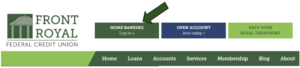
STEP 1: Visit www.frontroyalfcu.org and click the Home Banking Log in button at the top of the page.
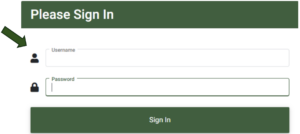
STEP 2: Enter your online banking Username and Password as prompted.
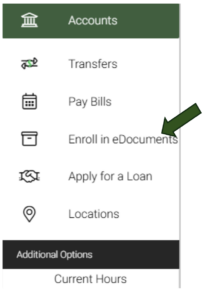
STEP 3: Once logged in, click Enroll in eDocuments.
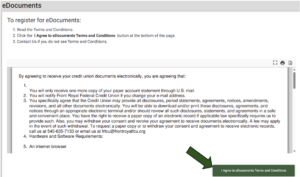
STEP 4: Read over the terms and conditions relating to receiving documents electronically and click ‘I Agree to eDocuments Terms and Conditions.’
STEP 5: After a short time, you should see the first eDocument come through as ‘Welcome Message.’

 This credit union is federally insured by the National Credit Union Administration
 Equal Housing Lender - We do business in accordance with the Federal Fair Housing Law and the Equal Housing Opportunity Act.
